



ISMAIL AND ASSOCIATES
Accounting · Tax · VAT · Audit · Corporate Advisory
AI INTEGRATION
A Practical Guide for Accounting, Tax and Business Advisory Practices
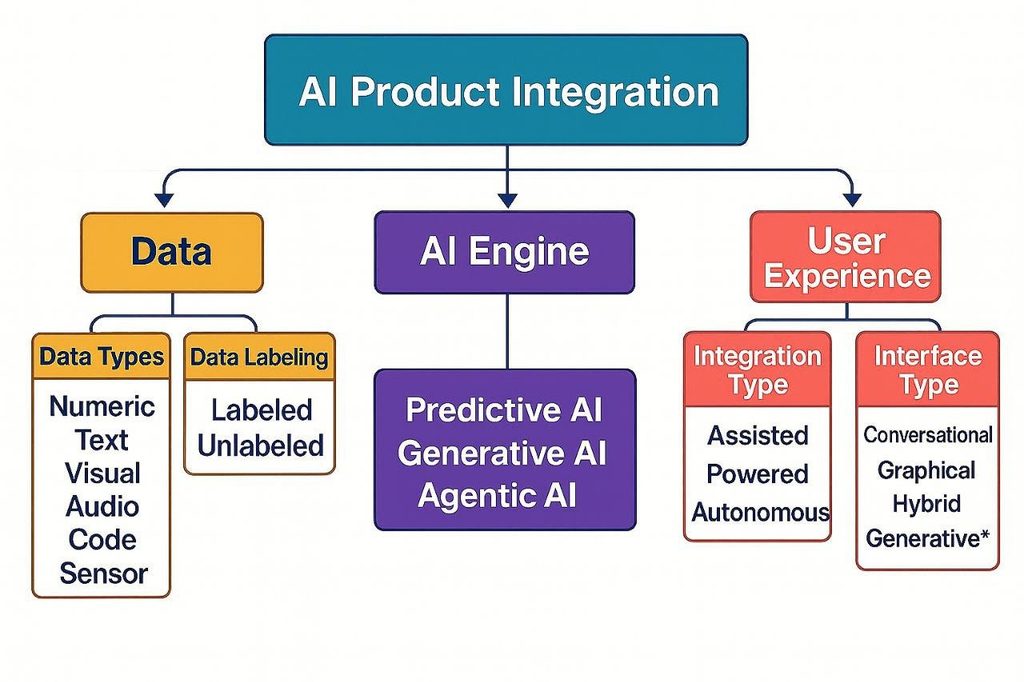
AI Integration means connecting Artificial Intelligence (AI) with the software, systems, databases, and business processes an organisation already uses, so that AI can understand information, generate insights, make recommendations, or perform specific tasks within those systems.
AI Integration = Existing Software + AI Capability + Data + Workflow
It is different from building a completely new AI system. Instead, AI capabilities are added to existing business operations.
1. What Is AI Integration?
Consider a company that already uses tools such as Excel, an ERP system, Tally, QuickBooks, Xero, Gmail or Outlook, WordPress, Google Drive, a CRM, bank statements, payroll software, and VAT or tax software. AI Integration connects AI to these existing systems rather than replacing them.
Example
Before AI Integration:
| Employee → Excel → Accountant → Review → Management Report |
After AI Integration:
| Employee → Excel / ERP → AI Analyses Data → Accountant Reviews → Management Report |
AI becomes part of the existing workflow, rather than a separate system running alongside it.
2. Basic AI Integration Architecture
A typical AI-integrated business system follows this structure:
| Business Data (Excel · ERP · Accounting Software) ↓ Integration (API / Connector) ↓ AI Model ↓ Analysis · Prediction · Content ↓ Business Action (Report · Email · Alert) |
3. Main Components of AI Integration
A. Data Sources
AI needs information to work with. Typical data sources include:
- Excel files and PDF documents
- Invoices, bank statements and accounting records
- Sales, purchase and inventory data
- Payroll and customer information
- Emails, contracts and financial statements
B. Integration Layer
The integration layer connects existing software to AI. The most common method is an API (Application Programming Interface):
| QuickBooks ↓ API ↓ AI System |
Through the API, the AI receives authorised accounting data and analyses it. Other integration methods include:
- APIs and Webhooks
- Database connections
- CSV / Excel import
- Cloud connectors
- Robotic Process Automation (RPA)
- Zapier, Make, Power Automate and n8n
4. The AI Model
The AI model is the intelligence layer of the system. Common examples include Large Language Models (LLMs), Machine Learning models, Document AI, OCR, predictive AI, classification models, and recommendation systems.
An LLM can work directly with text and business instructions — for example: “Analyse this month’s expenses and identify unusual transactions.” The AI processes the supplied data and produces an explanation.
5. AI Integration in Accounting
This is particularly relevant for an Accounts and Finance Consultant.
Traditional Process
| Invoice ↓ Data Entry ↓ Accounting Software ↓ Accountant Review ↓ Report |
AI-Integrated Process
| Invoice ↓ OCR / Document AI ↓ AI Extracts Information ↓ Accounting Software ↓ AI Checks Classification ↓ Accountant Review ↓ Financial Report |
AI can potentially assist with:
- Invoice data extraction
- Expense categorisation
- Duplicate invoice detection
- Transaction classification
- Reconciliation assistance
- Financial report and variance analysis
- Management summaries and cash-flow analysis
- Anomaly detection
| Note: Financial and tax outputs should still receive qualified human review before filing, posting, or making consequential decisions. |
6. AI Integration for Tax Services
For an Accounts, Tax, VAT and Compliance practice, AI integration could be structured as follows:
| Client Documents ↓ Document Collection ↓ OCR / AI Extraction ↓ Data Validation ↓ Tax Calculation Support ↓ Exception Checking ↓ Professional Review ↓ Tax Return / Report |
AI could assist in:
- Extracting information from tax documents
- Organising supporting documents
- Identifying missing information
- Comparing current and previous periods
- Preparing tax-workpaper summaries
- Explaining tax calculations
- Generating client questions and draft correspondence
| Note: The final tax position and filing should remain under professional control. |
7. AI Integration vs. AI Automation
This distinction is very important.
AI Integration
AI is connected to an existing system. AI helps inside the existing workflow.
QuickBooks → AI → Financial Analysis
AI Automation
The system automatically performs a sequence of actions:
| New Invoice Received ↓ AI Reads Invoice ↓ Extracts Data ↓ Checks Supplier ↓ Creates Draft Entry ↓ Sends for Approval ↓ Updates Accounting System ↓ Sends Notification |
| AI Integration | AI Automation |
| Connects AI to software | Automates a workflow |
| AI assists users | AI / system performs the steps |
| Human often initiates the process | Workflow can trigger automatically |
| Focus: connectivity | Focus: execution |
| Example: AI + Excel | Example: Invoice → AI → ERP |
Integration is often the foundation for automation.
8. AI Integration with Excel
One of the easiest starting points. Given spreadsheets covering sales, purchases, expenses, payroll, receivables and payables, AI can help answer questions such as:
- Which expenses increased significantly?
- Which customers have overdue balances?
- What are the major cost drivers?
- What changed compared with last year?
- What are the unusual transactions?
From this analysis, AI can help generate management summaries, variance analysis, KPI reports, charts and financial commentary.
9. AI Integration with Email
| Client Email ↓ AI Reads Message ↓ Identifies Request ↓ Extracts Important Information ↓ Creates Draft Response ↓ Human Reviews ↓ Email Sent |
Possible uses include classifying incoming emails, identifying urgent requests, summarising long emails, preparing draft replies, extracting invoice information, and creating follow-up reminders.
10. AI Integration with Documents
Consider a client who sends fifty PDF invoices.
Traditional Approach
Open → Read → Enter Data → Check → Save
AI-Enabled Approach
| 50 PDFs ↓ Document AI / OCR ↓ Extract: Supplier · Invoice No. · Date · Amount · VAT · Tax ↓ Structured Data ↓ Accounting Review |
This can save substantial manual effort when document formats are consistent enough.
11. AI Integration with CRM
| CRM ↓ Customer Data ↓ AI ↓ Customer Analysis |
AI can help identify important customers, inactive customers, potential leads, follow-up opportunities, customer inquiries, and common complaints.
12. AI Integration with WordPress
For the Ismail and Associates website, AI could eventually be connected as follows:
| Website ↓ AI Assistant ↓ Visitor Question ↓ AI Understands Question ↓ Relevant Information ↓ Response / Lead Capture |
For example, a visitor could ask: “What documents are required for a Bangladesh trade licence?” The AI assistant can provide information based on an approved knowledge base.
| Note: For professional use, the AI should clearly distinguish general information from personalised legal or tax advice. |
13. AI + Knowledge Base
One of the most powerful forms of AI Integration is connecting AI to an organisation’s own information — company policies, tax guides, service information, accounting procedures, FAQs, templates, and reports.
| Company Policies · Tax Guides · Service Information · Templates · Reports ↓ Knowledge Base ↓ AI ↓ Employee / Client |
Instead of relying only on general AI knowledge, the system retrieves relevant, organisation-approved information. This approach is often called RAG — Retrieval-Augmented Generation.
14. What Is RAG?
RAG stands for Retrieval-Augmented Generation. In simple terms: AI searches approved information first, then uses that information to formulate an answer.
| User Question ↓ Search Knowledge Base ↓ Find Relevant Documents ↓ AI Reads Relevant Information ↓ Generate Answer |
This approach is well suited to company policies, accounting procedures, tax references, VAT procedures, client documentation, internal manuals, and FAQs.
15. AI Integration with APIs
A professional AI system often works through APIs:
| Accounting Software API ↓ Integration ↓ AI API ↓ Analysis ↓ Dashboard |
For example, an accounting application could send authorised transaction data to an AI service for analysis.
16. AI Integration Using Zapier
| Gmail ↓ New Client Email ↓ Zapier ↓ AI ↓ Summarise Email ↓ Google Sheets ↓ Notification |
17. AI Integration Using Make
| Google Drive ↓ New PDF ↓ Make ↓ AI Document Analysis ↓ Extract Data ↓ Google Sheets ↓ Email Notification |
18. AI Integration Using n8n
| Client Upload ↓ n8n ↓ Document OCR ↓ AI Analysis ↓ Validation ↓ Database ↓ Accounting System ↓ Notification |
n8n can become an important integration and orchestration layer for an AI-enabled consultancy.
19. AI Integration with Power Automate
For organisations using Microsoft 365:
| Outlook ↓ Power Automate ↓ AI ↓ Excel / SharePoint ↓ Teams Notification |
This is particularly useful where a business already uses Microsoft 365, Outlook, Excel, Teams and SharePoint.
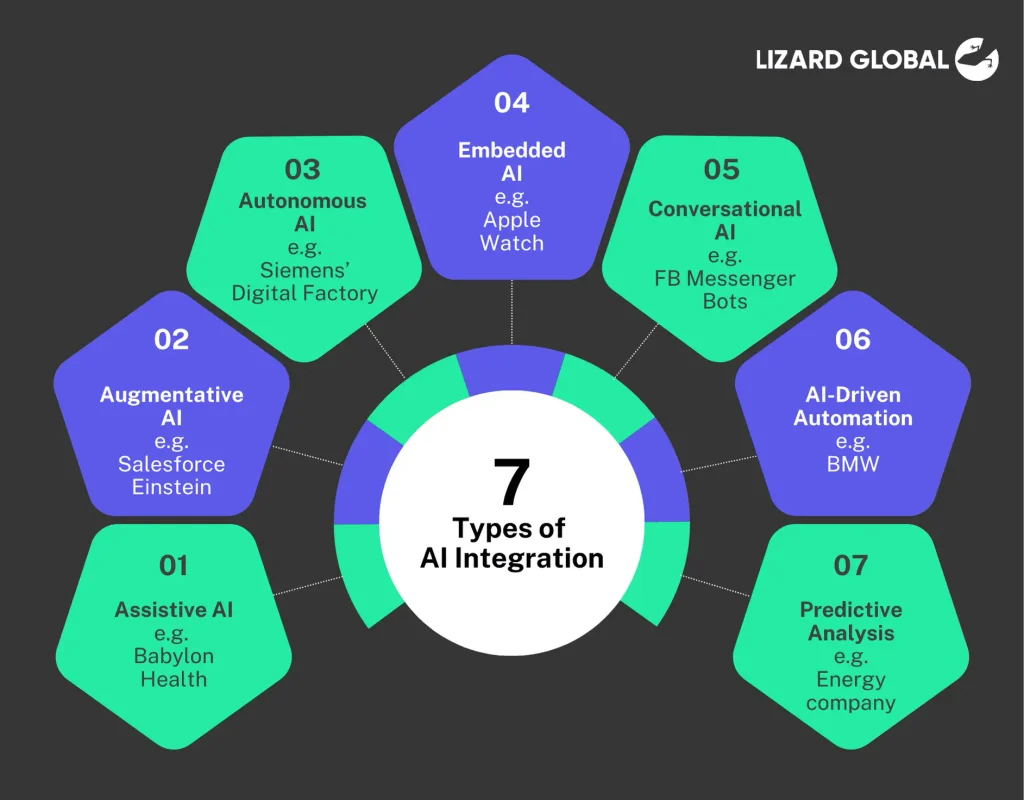
20. AI Integration Levels
AI Integration can be understood across five levels of maturity:
Level 1 — AI Assistance
A human uses AI manually — for example, an accountant asks AI to explain a financial report.
Level 2 — AI Connected
AI is connected to business data — for example, AI reads an Excel file automatically.
Level 3 — AI Workflow
AI becomes part of a workflow — for example, a new invoice triggers AI extraction, followed by approval.
Level 4 — AI Automation
Multiple steps happen automatically — for example, email, document extraction, validation, accounting draft, and notification.
Level 5 — Intelligent Business System
AI continuously analyses business operations across the organisation:
| ERP · Accounting · Sales · Inventory · Bank · Payroll · CRM ↓ AI Layer ↓ Insights + Predictions + Alerts ↓ Management Decisions |
21. AI Integration for Management Reporting
This is a strong practical use case. Consider the following figures:
| KPI | Current Year | Previous Year |
| Sales | Tk 100m | Tk 90m |
| Gross Profit | Tk 20m | Tk 18m |
| Expenses | Tk 12m | Tk 10m |
AI can generate an analytical summary such as:
- Sales increased.
- Gross profit improved.
- Operating expenses increased faster than expected.
- Management should investigate the major expense categories.
| Note: The numbers should come from the source data; AI should not be allowed to invent figures. |
22. AI Integration for Financial Forecasting
Historical data can be used to support forecasting:
| Historical Data ↓ Data Cleaning ↓ AI / ML Model ↓ Forecast ↓ Scenario Analysis |
Possible forecasts include sales, cash flow, expenses, receivables, inventory and working capital.
| Note: Forecasts are estimates, not guarantees. |
23. AI Integration for Fraud and Anomaly Detection
AI can help identify transactions that deserve investigation:
| 10,000 Transactions ↓ AI Analysis ↓ Unusual Transactions ↓ Risk Ranking ↓ Human Investigation |
AI might flag unusual amounts, duplicate transactions, unusual timing, unexpected vendors, and abnormal expense patterns.
| Note: The AI flags transactions; a qualified professional should investigate them. |
24. AI Integration Security
This is extremely important for accounting and tax work. A professional system should consider:
- Access Control — who can access the data
- Encryption — protecting data while stored and transmitted
- Data Minimisation — sending only the information necessary for the task
- Audit Logs — recording important system activities
- Human Approval — requiring appropriate review for important financial actions
- Confidentiality — avoiding unnecessary exposure of client financial information
25. AI Integration Implementation Roadmap
A recommended learning sequence for AI integration in professional practice:
| Step 1 — Understand AI Fundamentals ↓ Step 2 — Excel + AI ↓ Step 3 — APIs ↓ Step 4 — Zapier / Make ↓ Step 5 — n8n ↓ Step 6 — Accounting Software Integration ↓ Step 7 — Document AI / OCR ↓ Step 8 — RAG / Knowledge Base ↓ Step 9 — AI Agents ↓ Step 10 — Complete AI Finance Automation |
26. Potential AI Integration Business Model
For Ismail and Associates, a service offering could eventually be positioned as:
AI-Enabled Accounting and Finance Advisory
Services could include:
- AI Financial Analysis
- AI Management Reporting
- AI Accounting Workflow Integration
- AI Document Processing
- AI Invoice Processing
- AI Financial Data Analysis
- AI Business Reporting
- AI Tax-Workpaper Assistance
- AI Knowledge Base
- AI Workflow Automation
27. The Most Important Concept
The progression can be summarised as a single formula:
| AI ↓ AI Integration — Connect AI to existing systems ↓ AI Automation — Use those connections to execute workflows automatically ↓ AI Agents — Give AI tools, instructions, context and controlled ability to complete multi-step tasks ↓ AI-Powered Business |
For an Accounts, Tax, VAT and Compliance professional, learning AI Integration first is a strong foundation — it builds an understanding of how accounting software, documents, APIs, AI models, databases, and workflows work together.
RELATED POSTS
View all


Company Income Tax Guide in Bangladesh (Finance Act 2026)
July 31, 2026 | by Mohmmed Ismail Miah
Comparative Statement of VDS & TDS as per Finance Act 2026
July 28, 2026 | by Mohmmed Ismail Miah